
Release Notes
Last updated August 12, 2026
Here is where you can find the RD Mobile Release Notes. Each release includes product refinements and enhancements. If you have questions or have a dedicated app and an event coming up and want to ensure your app is updated prior to the start of your event, contact the RD Mobile Team to expedite your app update.
2026.v3 (August 2026)
This release introduces a new AI Assistant in the Backoffice and Attendee-to-Attendee Appointments, letting attendees schedule meetings directly with each other, along with other new features and a set of improvements and bug fixes across the platform.
Need help enabling these features? Our customer success managers are here to assist: support@rdmobile.com
Engagefully 365
NEW FEATURE: AI ASSISTANT IN THE BACKOFFICE
We're excited to announce the new AI assistant in the Backoffice, built to help staff get things done faster. Ask it a question and get real time, step by step guidance on using the Engagefully platform, plus instant access to your event and organization data, right when you need it. This feature is rolling out to customers over the next several weeks. Want early access? Reach out to us at support@rdmobile.com to help with beta testing.
NEW FEATURE: YEAR-ROUND MENU ITEMS IN A NEW WINDOW
Year-round menu items and promotions can now be configured to open in an external browser instead of inside the app, matching the option already available for event menu items.
NEW FEATURE: DEEP LINKING ON Higher Logic Community Notifications
Tapping a community push notification now takes members straight to the specific post or discussion, even when the app was fully closed beforehand. Previously the first tap after a cold start dropped members on the community home screen.
BUG FIXES AND IMPROVEMENTS
- Higher Logic Community integrated login: Reauthentication now presents the correct sign-in options for organizations using an integrated community login, and community push notification preferences are preserved when the app refreshes a session in the background or a member signs back in.
- Signing in: The app menu now unlocks role-restricted items immediately after sign-in instead of requiring a manual refresh, the access code screen no longer refers to events for year-round organizations, and the on-screen keyboard no longer covers the shared password field on Android.
- Promotions: Promotions limited to specific roles now appear on the home screen right after sign-in rather than only inside the full promotions list.
- Membership cards: The card list on the My Account tab now shows only cards belonging to the organization being viewed, and expiration dates display as a date without a time.
- Higher Logic Community library entries: Hyperlink attachments on library entries now display in the iOS app.
- Year-round content: Longer year-round menu item content, such as RSS feeds, now loads correctly on Android.
- Backoffice: A menu item's restriction icon now consistently appears as soon as a role restriction is applied, rather than only after saving and reopening the configuration screen.
- App Diagnostics: The Export Diagnostics screen now makes it clear which toggle state is on.
Engagefully EVENTS
NEW FEATURE: ATTENDEE-TO-ATTENDEE APPOINTMENTS
Attendees can now schedule appointments directly with each other, in the apps and on the event website, without going through a host's published availability. Appointments are created from an attendee's profile or from a direct message, invitees are notified and can accept or decline, and the appointment appears as a card in the conversation. Attendee-to-attendee appointments are configured separately from hosted appointments, so organizers can enable either or both. Reach out to us at support@rdmobile.com to learn how to enable for your events.
BUG FIXES AND IMPROVEMENTS
- Improvements to hosted appointments: The appointment detail screen shows complete date and time information, attendees can withdraw from a booking they made, and canceling a booking updates the screen correctly and sends the cancellation notice to the right recipient instead of sending both copies to the host. Actions that were never supported for host-arranged appointments are now hidden rather than shown and ignored. We also fixed an error when adding available hours, cleaned up stray code appearing in host emails, corrected a push notification that showed no participants, and made the "Booked With" filter responsive.
- Event sign-in: Attendees who sign in with an external or integrated login from inside an event now return to that event instead of the organization's community feed. The in-event sign-in screen reflects the organization's branding and available options, and the "Enter Access Code" prompt is no longer cut off on taller Android screens.
- Attendee directory: Directory search now returns the same results on iOS and Android.
- Event messaging: Fixed a delay and crash when starting a direct message from the attendee directory, and removed duplicate profiles from the message recipient list.
- Sessions: Sessions with notes now appear when filtering by notes, without needing the "Selected" filter enabled as well.
- Exhibitor lead retrieval: Exhibitor representatives on Android can now scan badges that do not include an event ID, matching how iOS already behaved.
- Business card exports: Exported contact files from the Business Card Exchange now attach correctly when sharing through Outlook on iOS.
- Registrant data and reporting: Registrant tag values now appear in the downloaded roster CSV, tags supplied through the registrant management API replace existing tags instead of merging with them, and event reporting no longer fails when one person is linked to more than one registrant record.
- Event menu: Long menu item titles are no longer misaligned.
Conversations
BUG FIXES AND IMPROVEMENTS
- Group invitations: Names and group titles containing apostrophes or other special characters now display correctly in group invitation emails instead of showing raw character codes.
2026.v2 (March 2026)
This release includes two new features along with a number of bug fixes and minor improvements. Need help enabling these features? Our customer success managers are here to assist: support@rdmobile.com
Engagefully 365
BUG FIXES AND IMPROVEMENTS
- [Android] "Compose" button intermittently missing in the Community tab — Resolved an issue with dedicated apps where the Compose button in the Community tab would sometimes disappear.
- [iOS] Promotions not appearing in the 365 view — When the first two promotions in a list were set to hidden, no promotions would appear in the 365 view even when others were visible. Promotions now display correctly based on their individual visibility settings.
- [iOS] Higher Logic Community Library entries — The app now correctly displays Higher Logic Community library entries when the API returns a null attachments container.
Engagefully EVENTS
ADMIN CONTROL OVER PROFILE FIELD PRIORITY IN THE ATTENDEE DIRECTORY
Administrators now have the option to lock the Name, Company Name, and Title fields in the directory list view so they always display official registrant data, regardless of what attendees have entered themselves. This allows administrators to prioritize registrant data over user profile data in the attendee directory.
IMPROVEMENTS TO HOSTED APPOINTMENTS
Several improvements have been made to the hosted appointments experience for hosts, attendees, and administrators:
- Performance — Appointment availability now loads faster, with the most noticeable gains at larger events.
- Host availability management — Hosts can now update their availability directly from the time slot list using toggles or gestures, without opening each slot individually.
- Reporting and integrations — Event participation data is now available in the User Selections report and via the Roster Entry API, making it easier to sync attendance data back to your source system.
BUG FIXES AND IMPROVEMENTS
- Session time zone display — Tapping "View All" on sub-session lists (such as Symposiums) was causing session times to display in the attendee's local time zone rather than the event venue's time zone. Session times now display consistently regardless of how you navigate to them.
2026.v1 (February 2026)
This release includes two new features along with a number of bug fixes and minor improvements! Need help enabling these features? Our product specialists are here to assist: support@rdmobile.com
Engagefully 365
NEW FEATURE: DIGITAL MEMBERSHIP CARDS
Engagefully EVENTS
NEW FEATURE: LOCKED AGENDA CONFIGURATION
Engagefully EVENTS now supports locked agenda configurations for events with pre-selected sessions. For events where attendees select sessions during registration and changes are not permitted onsite, organizers can lock those selections within the app. This ensures attendee agendas remain consistent with registration choices.
2025.v4 (December 2025)
This release delivers several platform improvements along with new capabilities, including tagging and filtering within attendee directories and hosted appointments.
Engagefully 365
NEW REPORTS
The downloadable “Selections by Account Status” report (located under the General Engagement tab) now includes information on which devices each user has accessed the platform from (iOS, Android, web)
HIGHER LOGIC COMMUNITY ENHANCEMENTS
Users can now join communities directly through the app.
Other community enhancements:
- Android app UI improved to better accommodate keyboard
- Better support for embedded “mailto:” links
- Fixed issue with posting library documents to topic communities on Android
- Member status is now updated on every user login
- Update to prevent library entries that were uploaded as attachments from appearing in the data feed alongside the original post(s).
- Improvements to results when the search term includes quotes
- Thrive community names are now tappable from post details
MEMBER SINGLE SIGN ON OPTION WITH PIXL8
We’ve added standard SAML SSO support for clients using Pixl8 as their CRM, enabling members to sign into the apps with the same credentials they use on your website.
ADDITIONAL ENGAGEFULLY 365 BUG FIXES AND IMPROVEMENTS
- Performance improvements to the logout feature on Android
- Update to prevent the double-tapping of menu items
Engagefully EVENTS
ATTENDEE DIRECTORY
Implemented tag groups and filtering on the attendee directory, making it easier for participants to find others they want to network with or message.
Other directory and profile enhancements:
- Issue fixed that sometimes caused the attendee directory to not fully display in web browsers
- Improvements to the way user profiles are displayed in the directory on Android
HOSTED APPOINTMENTS
We’ve introduced tag groups and filtering on “Book a Meeting” pages, making it easier for participants to quickly find the people they want to schedule appointments with.
Other hosted appointment enhancements:
- "Use Local Time" Toggle now available when scheduling Hosted Appointment
- Edit location feature working reliably
- Host locations now loading reliably
- Push notifications work reliably on iOS
- Location now reliably appearing on the "Book an Appointment" detail view on Android
- Improved support for invitations where the host has been removed
- Improved event download speeds for events that have hosted appointments enabled
- Faster event and appointment load times
- Hides appointment slots that are in the past
- Hides the appointment invitations feature if no slots are available to book
- Adds letter index navigation to the sides of long lists on appointments screens
- Performance improvements when loading images on iOS devices
EMBEDDED SESSION LIStS
You can now enable tag-group filtering when embedding session lists on external sites, and session tags will appear directly alongside their descriptions for clearer context
SESSION ENGAGEMENT TOOL SET-UP IMPROVEMENTS
We’ve introduced alternating row colors on the “Select Sessions” screen to make scanning and configuring engagement tools faster and easier
Engagefully Conversations
Added ability to remove active users from a group
2025.v3 (September 2025)
We’ve expanded our Higher Logic community integration and made improvements across the entire platform.
Engagefully 365
Expanded SSO Login Capabilities Available
Engagefully 365 customers may be able to provide their members an SSO login option using their organization web credentials. Contact solutions@resultsdirect.com for additional details.
New Higher Logic Community Enhancements
- Communities List & Detail: We’ve added a dedicated “Communities” menu item on the home/feed screen for faster access. The new list is searchable, alphabetized, and shows member counts plus icons for supported post types (discussions, Q&A, blogs, libraries). Tapping a community opens its detail screen with post type counts, a feed shortcut, and a view of the user’s contributions. The toolbar offers quick actions to adjust notification settings, open content in a browser, or leave the community.
- Libraries added to the Community Blended Feed: Library posts now appear alongside other content types with download counts, media type tags, and comments (same as blogs, no threading). Users can also create new library entries with a familiar compose screen for title, description, community selection, and media uploads.
Usability Improvements and Bug Fixes
- Improve visibility of "view on web" option when viewing a discussion post that contains advanced HTML
- Signatures more reliably displayed in Higher Logic discussion post content
- Community Compose Button no longer shows Questions or Blogs if those features are not enabled
- UI Improvements on Higher Logic community screens
- Organization & Event profile cards are updated more reliably on the My Account screen
- Usability improvements on the Contact Us form
Engagefully EVENTS
New Report: Event Notifications Engagement
We’ve added a Notifications Engagement Summary to the Event Reporting section of the admin portal. This report provides a list of all event notifications and their engagement data including Viewer Count, Devices Notified, Direct Responses, and Influenced Responses
Automated Event Creation
When Engagefully is integrated with Event Management Platforms it is possible to have the framework for events created automatically. For more details contact support@rdmobile.com
Event Schedule Screen Improvement
The schedule screen now remembers your viewing preference. Whether you choose to see all sessions or only your selected sessions, it will stay that way the next time you return.
Exhibitor Self-Service Portal Enhancement
Exhibitors can now view and print their QR code directly from the exhibitor portal, just like admins can in the backoffice.
Engagefully System Email Updates
To provide a better end user experience we’ve enhanced the following system emails to provide options to open on the web or in the native app: session reminders, session digests, appointment invitations, appointment reminders, and appointment status notifications.
Usability Improvements and Bug Fixes
- Printable QR Code page updated to better display long session names
- Improvements made when scanning QR codes using newer iOS devices
- Several bug fixes and performance improvements made to hosted appointments
- “Events” Menu Item more reliably hidden for clients not using the events module
- Improved integration capabilities by making User Agenda Syncing non-case-sensitive
- Improvements to the resources upload utility
- Improved stability on the schedule screen for events with a large volume of sessions
- Improvements to event private messaging on the browser version to better support a high volume of messages
- Session detail pages improved to better display long session tags
- Session screens updated to properly remove deleted speaker designations
- Improved filtering capabilities across the app
- Improvements to the attendee directory on web browsers to allow users to search by combined First Name & Last Name and better support large attendee search results
- Improvements to event emails to more reliably direct the user to the specific event when opening the app
- Disabling Social Networking now disables related features like QR code scanning
Engagefully Conversations
Usability Improvements and Bug Fixes
- Fixed an error in Conversations that occurred when inviting multiple users to a Conversations Group
2025.v2 (June 2025)
We’re excited to announce a powerful set of updates in this release, featuring new reporting capabilities for both Engagefully 365 and Engagefully EVENTS, improved login flexibility, and several enhancements driven by customer feedback.
Need help enabling these features? Our product specialists are here to assist: support@rdmobile.com
Engagefully 365
New Reporting Tools
- 365 Usage Report* Identify which app menu items are most frequently used.
- App Opens Report* Monitor app engagement by viewing each time the app is opened.
- Alert Reporting** Track how many devices viewed each individual alert. If the alert was sent as a push notification, see how many devices received it.
*These reports require your app to be running version 2025.v1 or later to collect usage data.
**These reports require your app to be running version 2025.v2 or later to collect usage data.
Flexible Login Options for Engagefully 365
We've expanded login and authentication features to meet a range of user access needs:
- Enable sign-in with existing website credentials
- Allow non-members to access selected event features
- Multiple configuration options are available — contact us for details and pricing.
Redesigned "My Account" Screen
A clearer user experience: Account information tied to member status is now distinctly separated from event-specific profiles, making it easier to understand and manage.
Engagefully EVENTS
New Reporting Tools
- Leaderboard Gamification Participation Report Access a summary of participation and download a detailed breakdown of activities, participants, and scores.
- Event Notifications Report** View how many devices received and opened each event notification.
**These reports require your app to be running version 2025.v2 or later to collect usage data.
Hosted Appointments Enhancements
You can now allow participants to designate a location when booking appointments. Locations may include plain text, full addresses, or clickable website links.
Exhibitor Self-Service Portal Enhancements
Exhibitor representatives can now be granted permissions to manage associated registrants — streamlining access to lead scanning, self-service tools, and reporting.
Improved Search Across Event Content
Thanks to your feedback, search just got smarter:
- Exhibitor search now includes custom fields and tags
- Session and custom item search supports tag filtering
- Whitespace cleanup in search fields improves accuracy
- Speakers can now be searched by first or last name
Additional Fixes & Enhancements
- Banned users are now excluded from leaderboards
- Push notifications now open the relevant alert directly
- Deleted custom content is reliably removed from devices
- Improved consistency in hosted appointments after admin edits
- Enhanced integration with Higher Logic Communities
- Improved linking of social networks to user event profiles
2024.v3 (19 December 2024)
Speaker Self-Service Portal
- Speaker Profiles: Speakers can easily update their profile, including bio, photo, and contact information.
- Social Media Links: Speakers can add links to their LinkedIn, X, YouTube, Instagram, or other platforms to enhance visibility.
- File Uploads: Upload presentation slides and other session materials directly through the portal.
- Email: Admins can easily email speakers a unique login link to access the speaker portal
Enhancements to Exhibitor Self Service Portal
Instagram added to Speaker and Exhibitor profiles
Higher Logic Community Integration
- Native display of blended activity feed
- Push notification support for community activity and announcements
2024.v2 (8 October 2024)
Bug fixes and performance improvements.
2024.v1 (8 August 2024)
Introducing Appointment Scheduler for Engagefully EVENTS
Enhance Conference Engagement: Attendees can now book 1-1 meetings, including Exhibitor Demos, Supplier Appointments, Speed Networking, and more.
Benefits for Attendees:
- Quick Booking: Schedule meetings with exhibitors and peers.
- Targeted Connections: Search and filter relevant matches.
- Stay Notified: Alerts for invites, updates, and cancellations.
Benefits for Exhibitors:
- Boost Visibility: Offer bookable time slots.
- Proactive Engagement: Invite attendees for focused interactions.
Benefits for Planners:
- Revenue Potential: Premium meeting slots and sponsored sessions.
- Flexible Control: Avoid scheduling conflicts with main events.
To learn more watch the video overview or Get Started with Hosted Appointments and learn how to Configuring Hosted Appointments.
2023.v5 (5 March 2024)
Introducing Engagefully 365, our most advanced mobile engagement platform. This release showcases a reimagined UI and all-new features for organizations offering year-round content, including:
- New Tab Bar Navigation: Allows easy access to events, the main menu, alerts, profile, and the home screen.
- New Home Screen: Enables admins to feature events, alerts, and custom promotions. Members can also create their own personalized menu shortcuts.
- New Main Menu: Features a tile view and colors for improved usability, enhanced visual appeal, and more opportunities to incorporate your brand.
2023.v4 (21 Sept 2023)
Version 2023.v4 of Engagefully contains multiple performance improvements, security enhancements and bug fixes including the following:
- End User Account Deletion Toolkit
This release includes new tools to assist admins with account deletion requests from app users
- Reporting Enhancement
We’ve added the option to download a report with a breakdown of all business card scans at your event.
- Session Embed Tool Enhancement
If you are using Speaker Designations at your event, those designations will now appear on websites using the code generated by the Session Embed Tool
2023.v3 (6 July 2023)
Version 2023.v3 brings updates to Help Central, with the aim to provide better support for new and current admins using our platform. Additionally, this update includes various improvements and bug fixes for Android devices (this release does not include an update for iOS devices).
Admin Support and Resources Update: Admin support pages have been updated to aid in platform navigation and effective use of our Product Specialist team. These include:
- Product Specialist Meeting Scheduling: Users can now book a meeting with a product specialist during their available hours. Schedules may differ among specialists.
- Knowledge Base Update: Our knowledge base has been improved for easier access to relevant information, including frequently asked questions, articles, and tutorials about a wide range of topics.
Android Device Improvements: This release brings several improvements and bug fixes specifically for Android devices. These include:
- Addressing the issue causing occasional logouts on Android devices.
- Improving performance for events with large data sets.
2023.v2 (4 May 2023)
Version 2023.v2 introduces enhancements for admins and additional communication options for Conversations.
- Account Verification and Expanded Profiles
Administrators will periodically be required to verify their email address and profile information when accessing the Backoffice admin portal. As part of this process, a verification email will be sent during login, which will direct you to a page where you can complete the verification process. Once completed, you will be logged in automatically.
- Conversations (Community Functionality) now includes native app Push Notifications
Conversations now supports Push Notifications. Group participants can receive alerts for recent activity and admins have the option to auto-subscribe users. Users can manage their notification preferences, including opt-out or choosing specific intervals to receive notifications (Note: Push Notifications are supported by 2023.v1.2 apps and above).
- Improvements to Uploading Content in Bulk
We've introduced a preview and confirmation screen that highlights any errors or issues in a user-friendly format for our bulk content uploading features.
- Improved Support and Admin Resources
A new set of improvements to our admin support pages that will make it easier than ever to manage your account and get the support you need. These improvements include:
- Additional Support Options: We have expanded our support options, including the ability to report and expedite platform issues during non-business hours.
- (Coming soon!) Improved Knowledge Base: We have made significant improvements to our knowledge base, making it easier to find the information you need. Our updated knowledge base includes detailed articles, tutorials, and videos that cover a wide range of topics, from basic account management to advanced tutorials.
2023.v1 (17 January 2023)
To kick off 2023, this release focuses primarily on performance improvements and bug fixes and includes improvements to dynamic maps.
- Improved Dynamic Mapping Support: Dynamic maps have been upgraded with a new interface to improve usability across a wider range of mobile devices.
- New App Version Update Availability Notification: Users are now notified in the app when a new version is available for download. This helps ensure users are always using the most recent version of the app.
- Performance Improvements: A number of improvements and bug fixes are included in this version as part of an overall “tune-up:”
- Session Schedule (improved timezone display/formatting)
- Session, Speaker & Directory Search (corrected search for sub-sessions; removed case sensitivity of search for Android users)
- Social Timeline (corrected issue posting to the Timeline which caused app to terminate)
- Registrant Bag (contact details displayed now include email on Android devices)
- QR Scanner (corrected issue that prevented sequential scans using Android devices under some conditions)
- Vimeo API Updates (support for Vimeo related service changes)
- Admin Help Center (initial release of revised Help Center)
2022.v6 (31 October 2022
Enhanced App Login Capabilities
We’ve introduced Access Codes to assist users with logging into the iOS and Android apps if they are not receiving emails from the RD Mobile platform, or if the existing Login Link is corrupted by their spam filter.
- If a user does not receive a login email from the RD Mobile platform, an event staff member can help the user log in immediately by generating a personal access code in real-time from the admin portal. To learn more, please see: How to Provide Login Assistance using Access Codes
- If a user's log in link is corrupted they will see an access code they can enter into the iOS or Android app to immediately log in.
Note: The end user must have version 2022.v6 or above installed on their device to use access codes.
2022.v5.1 (13 October 2022)
Conversations Product Now Supports Email Notifications
Event administrators can now enable email notifications to make participants aware of recent activity happening in groups they are a member of. Participants may also select how frequently they would like to receive email notifications.
- To learn about the Conversations feature, please see: Getting Started: Conversations and Groups
- To enable Conversations Notifications, please see: Manage Conversation Notifications
2022.v5.0 (4 October 2022)
This latest release offers significantly enhanced exhibitor lead scanning features, improvements to attendee/delegate capabilities, new reports for event administrators, and new diagnostic tools for quicker resolution of support issues.
Mobile Access for Exhibitors to Attendee/Delegate Scans
Exhibitors can now use Exhibitor Mode on their iOS and Android devices to access scanned leads, make notes on individual contacts, and export lead lists. Please see this updated section of the: Exhibitor Lead Scanning and Check-In article.
Pending scans in Registrant Bags
Scanned digital business cards, session and exhibitor check-ins, and lead scans are now available even as they’re pending upload to the cloud.
Enhanced muting/unmuting capabilities on iOS devices
Attendees/delegates can block/unblock other attendees more easily in the Directory on iOS devices through a new action icon on individual attendee Profiles.
New Admin Reports:
Downloadable engagement reports are available for:
- Non-participating users that were registered for an event but did not access the platform
- Non-registered users that participated but were not registered
New Diagnostic Troubleshooting Tool
The “Need Help?” section of the app has been enhanced with a new “Send Diagnostics” feature that enables app users to automatically send their operating system, version, and other details to RD Mobile Support to assist in resolving issues.
2022.v4.0 (11 August 2022)
This release includes enhancements to the leaderboard, the ability to assign designations and reorder speakers on session detail pages, and notifications in the mobile app to remind attendees about upcoming sessions.
Session Reminders
Attendees will now receive reminder notifications for the sessions they’ve selected when using the mobile app. Please see Mobile App Session Reminders for more details.
Speaker Designation and Reordering
Session detail screens now support reordering of speakers as well as the ability to assign designations to individual speakers including moderator, panelist, author, etc. Please read the help documentation for more information.
Leaderboard Enhancements
Gamification can be used to encourage and increase engagement at events. The new leaderboard interface displays ranking, the attendee’s activities, rules, and prizes for your game. Please see the updated Leaderboard article for instructions on how to utilize these additional features.
2022.v3.0 (10 May 2022)
This release brings more gamification options to the platform while also providing more tools to integrate your content with websites.
New Gamification/Engagement Enhancements
We have added a “Gamification” Tab to the back office, allowing you to assign point values to a variety of activities (using contactless features) including:
- Checking into sessions
- Checking into an exhibitor booth/stand
- Being scanned as a lead by an exhibitor
- Exchanging Digital Business Cards with other attendees
These capabilities will allow you to create games or other incentives to encourage specific types of activities at your events.
Please see the article: The New Leaderboard for additional details.
Include Speaker Details on Your Website
Additional HTML and CSS code that can be used by your website to display speaker data (by embedding it into your existing website pages) is now available. This completes the previously released options to embed session and exhibitor details (Instructions for utilizing the embed code can be found in the article: Embed Speaker Details on Your Website).
Session Email Reminders
You can now turn off session reminder emails for in-person events (Please see: How to Disable Session Email Reminders).
2022.v2.2 (13 April 2022)
This release further enhances support for contactless QR code features with more printed badge formats, lead data export, and a portal for event staff to manage on-site badge printing. We’ve also made improvements to usability and admin portal performance.
Additional Badge Printing Options, including a Portal for Managing On-Site Badge Printing
The 2022.v2 release introduced printed badge QR code support. This update extends this functionality with:
- New On-Site Badge Portal: This web-based application enables your on-site staff and volunteers to retrieve, edit (or create), and print badges for attendees without having to access the full admin portal. Please see the article: On-Site Badge Printing Portal for steps on how to utilize the feature.
- 2 New Badge Designs: in addition to 3x4” and 4x3” badge sizes, we’ve created a foldable quarter page badge design in both US and UK paper dimensions. Please see the article: Badge Styles for more information.
- Badge Type Colors: Badges for sponsors, attendees, speakers, and other types can now have their own unique colors for better visual distinction.
- Exported Badge Data Includes Physical Address: Exported badge data to support 3rd party printing solutions can now include attendee’s physical address so badges can more easily be mailed out in advance of an event.
Lead Scanning Data Enhancements
Exhibitor lead scanning reports can now include custom fields for attendee demographic data or other valuable information, providing additional value to sponsors.
Accessibility Improvements to Desktop Experience
We conducted additional usability and accessibility testing and have implemented minor UI refinements.
Improved Admin Portal Performance and Changes
The “Participants” tab has now been separated into 2 sections: 1. “Known Participating Users” and 2. “Listed Registrants” to improve usability and performance.
2022.v2 (28 February 2022)
This release extends our in-person event features to include badge QR code support and highlights improvements to the website experience and reporting.
Support for Badge Printing for Contactless QR Features
We are excited to announce the soft launch of badge printing support.
The 2021.10 release introduced several new QR code based “contactless” features, allowing attendees to connect and be more productive while minimizing physical contact at events. Many clients have expressed a desire to add attendee QR codes for use on printed badges (Please see article on how to enable this feature). This release specifically includes:
- Support for exporting registrant badge information as QR code destination URLs that 3rd party badge printing software and service companies can utilize (Suggested use case).
- Limited support for printing individual badges directly from the admin portal. Please read: Printing Individual Badges Through the Backoffice for more information.
We will be releasing additional features and enhancements over the next several months.
More Tools to Embed Event Information into 3rd Party Websites
To make it simpler for event staff to leverage event data in multiple places, the platform now provides HTML and CSS code that can be copied and pasted into 3rd party websites to display exhibitor data. Please see: How to Embed Exhibitor Lists on Your Web Site for details.
We have also enhanced the existing session embed code to include speakers and sub-sessions, making it easier to update content once and have it display everywhere. Please read the article Embed Sessions on Your Web Site for more information.
Usability improvements for Personal Event Schedules Accessed from a Web Browser
We have refined the desktop experience to make session selection faster and more intuitive for attendees.
Enhancements to the Session Check-In Report
We added support for session and registrant external keys to make it easier to export data into 3rd party databases.
2021.12 (16 December 2021)
This release focuses on usability and performance improvements to contactless engagement features and system monitoring.
Improvements to Contactless Business Card
Based on user feedback of this popular feature introduced in the 2021.10 release, we’ve made the following improvements:
- Updated QR scanner interface with clearer instructions and the ability to ‘pinch to zoom’ to improve scanning accuracy and usability
- Notification to attendee being scanned confirming the business card exchange (Please see: Digital Business Card Exchange)
- Notification alerting attendee when a business card scan was unsuccessful (Please see: Digital Business Card Exchange)
- More options to edit and share business cards from the registrant bag (Please skip to the end of the article: Digital Registrant Bag)
- Admin report of business card exchange usage added to report section (Please read the section: Digital Business Card Exchanges)
Additional Platform Monitoring
Additional system monitoring has been added for faster detection of fluctuations in platform availability.
Enhanced Reporting
Top Pages Over Time report now includes web usage (Please read the section: Top 10 Platform Screens Over Time)
2021.11 (27 October 2021)
This release introduces new features to allow your exhibitors to upload and manage their own content and details in the app and desktop experiences as well as updated reports and analytics for events.
New Exhibitor Self-Service Portal
The platform now supports a portal where exhibitors can log in and manage their own exhibitor pages. Exhibitor staff can upload images, add content, and preview their pages. As an event organizer you can control who has access. Additionally, when combined with our new QR Exhibitor Lead Scanning features, exhibitors can also access lead list reports in real-time. Read the Exhibitor Management Portal article to learn more.
Improved Event Reporting
Event reporting has been refreshed and improved. We’ve organized reporting into three sections featuring general engagement reports, session reports, and exhibitor reports. We’ve also improved data aggregation and now provide access to raw data files to allow you to analyze the data directly for additional insights. You can learn more about all the reports on the Viewing Event Reports page.
2021.10 (24 September 2021)
With the return to in-person events we’ve enhanced the Eventsential/Engagefully platform with several new QR code based “contactless” features so your attendees can connect and be more productive while minimizing physical contact with other attendees and printed materials.
Digital Business Card Exchange
Attendees can easily and quickly exchange a digital business card with other attendees while meeting face-to-face, eliminating the need to exchange a physical card. For more information, please see the article: Digital Business Card Exchange
Exhibitor Lead Scanning & Check-In
The app now provides tools for exhibitors to scan the attendee QR code for lead generation in the expo hall or anytime during your events (for example, when meeting at networking functions). Attendees also have the option to “check-in” with exhibitors by scanning exhibitor QR codes (which can made available not only at the booth or stand, but in other areas during the event). Please read: Exhibitor Lead Scanning and Check-In for details.
Session Check-In
In-person attendees can now “check-in” to a session right from their mobile device. Enhanced reporting features will allow you to see who attended the sessions. Further details can be found here: QR Code and Virtual Session Check-In
Digital Registrant Bag
Participants can capture their activity at the event and review who they exchanged cards with, sessions they attended, exhibitors they visited, and other resources they’ve scanned from one convenient location right on their mobile device. No more carrying around a physical conference bag. For more details, see: Digital Registrant Bag
2021.9 (18 August 2021)
This release includes a new suite of branding options for exhibitors, a new option for session videos, expanded speaker profiles, and several reporting upgrades.
- More Exhibitor Branding Options: Sponsors and exhibitors have more tools to enhance the branding on their digital pages for both virtual and onsite audiences including:
- Support of embedded YouTube and Vimeo videos
- Choice of a branding image or video at the top of their digital page
- Custom background image on desktop
- The option to show a custom ad on their page
- Please see Exhibitor Branding Options for steps on how to utilize the above tools.
- More Video Options for Sessions: Event admins can now embed YouTube videos directly on session detail screens. Please refer to: Embed YouTube Content within Sessions for more details.
- More Design Options for Desktop Welcome Screen: To improve the branding of your event you can now provide a circular logo to display on the Event Details screen. Please see: How to Display Round Logo on Event Details Page for more details.
- Expanded Speaker Profiles: Speaker profiles can now include additional social network links including LinkedIn, Facebook, Instagram and YouTube.
- Expanded Event Reporting: The event reporting section has been updated to include:
- A new report showing the total users selecting an event by device type
- An at-a-glance-view of exhibitor leads
- The option to download all session attendance activity as a single CSV file
- The option to download session & exhibitor selection data as a downloadable CSV file
- Provide Device Use and Top Pages Over Time reports as downloadable CSVs
2021.8 (23 July 2021)
This release increases participant engagement at events by adding real-time notifications, attendee discussion tools, and a leaderboard to the desktop experience. We also added several administrator enhancements to make it even easier to manage your event content.
- Real-Time Notifications on the Desktop : Desktop users will now see a pop-up at the top-right corner of their screen alerting them of new Notifications from event administrators and Private Messages from other attendees, similar to push notifications on the mobile apps. For more information, please see Real-Time Notification for Desktop Users.
- Timeline and Leaderboard for Desktop Users: The Social Networking feature ‘Timeline’ and the gamification feature ‘Leaderboard’ are now available for desktop users! Attendees participating virtually can now comment on sessions, post pictures, and Like other users’ comments from the event website. Participants who receive the most Likes will be featured on the event Leaderboard.
- API and CSV Video Content Upload: Session video contents can now be loaded into your event through the API or using the session CSV file found in the Backoffice Utilities page. For more information on how to utilize this new feature, please see Uploading Session Videos Using CSV Files.
- Ability for Conversations Managers to Delete Groups: Conversation Managers can now easily delete unused discussion Groups from their Conversations page. See simple step-by-step instructions: Deleting Conversations Groups
- Custom Fields and External Key Information Added to Activity Report: Downloadable “Session and User Reports” will now display custom field values and external key information contained in the registrant record.
2021.7 (25 June 2021) [Web and Mobile App Update]
This month’s release brings a brand-new look and feel to the Eventsential’s desktop website with benefits for you, your participants and your sponsors! Along with the webpage redesign, we’ve also included features that improve usability and configurability for Conversations and the platform’s native apps.
- Redesign of the Desktop Website: Significant aesthetic improvements that increase usability and sponsor visibility have been made to the desktop event experience including setting an event background image. For more information, please see article on How to Set Event Page Background (Desktop Site) and to dive deeper into the benefits of the redesign see the Event Platform Redesign Highlights article.
- Active Notifications Icon on Desktop: Desktop notifications have been improved to better highlight new messages.
- Social Network Management for Desktop Users: Attendees can now connect Facebook, LinkedIn, and Twitter accounts to their profile on the desktop site. For more information, please see article on Managing Social Network Profiles (Desktop Site)
- Configurable Exhibitor Contact Buttons in Native Apps: The Contact button on exhibitor detail pages is now available on the iOS and Android apps. The button can also be renamed for both the desktop and app: Relabeling Exhibitor Contact Buttons.
- Configurable Session Video Text and Button Labels in Native Apps: Session videos on the iOS and Android app now show the same button, descriptive text and image as the desktop experience.
- Invitation Email for Conversations Groups: Invitation emails will now be sent to all participants added to an invite only Conversations group.
2021.6 (13 May 2021) [Web and Mobile App Update]
This release offers clearer user-client communication channels, a more intuitive user-interface for support requests, increased control over announcements for year-round clients, and several usability enhancements.
- New Attendee Help and Support Resources: Virtual attendees requiring help before, during and after events can now access answers to common questions and convenient contact buttons for communication with support staff. These resources are available on login pages and from the main event navigation. Please see Attendee Support Basics for further details.
- Event Support Point of Contact: To further improve the event experience for both attendees and support staff, clients will now provide an event-specific point of contact for support topics. This ensures a prompt response to urgent matters and a clear channel of communication. For details, please see the article on Assigning Event Support.
- Engagefully Customers Can Now Send Targeted Organization-level Announcements: Announcements, including push notifications, can now be sent to a specific group of end users on the year-round layer of the mobile apps. Creating the target group of recipients can be set up via Organization Roles.
- Improved iOS Accessibility Features: With increased compatibility with iOS VoiceOver, a gesture-based screen reader, RD Mobile apps can be better used on the iPhone even if users cannot see the screen. Please see this Apple support document on how to enable VoiceOver on your iPhone.
- Searching by Speaker for Sessions on Desktop: Users can now search for sessions by the speaker’s name in the search bar.
- Improved Handling of Login Email Header Images: Large images will now appear as appropriately sized headers for email-clients that did not obey styling specifications.
2021.5 (8 April 2021) [Web Update]
This release provides enhancements to Event Notifications management, more control over Conversations group access and several performance improvements.
- Extended Event Notification Scheduling: Recognizing that event formats are evolving and some events last weeks or even months, we’ve rearchitected the platform to allow event notifications to be scheduled as far in advance as desired.
- Increased Flexibility for Access to Community/Conversations Groups: Conversations is a great way to facilitate valuable discussion among attendees. You can now grant access to Conversation groups on an event-by-event basis. A Group can be restricted to participants with a specific event role, where previously, they would have required an organization role.
- Direct Messaging Improvements: Users who opt-out of direct messaging can no longer send messages to other attendees and help text was added to clarify user’s availability for messaging.
- Desktop Performance Improvements: Desktop event page now load faster through improved web caching.
2021.4 (22 March 2021) [Web and Mobile App Update]
This update provides even more control over the Event Detail and Session Detail screens as well as several performance improvements.
Increased Flexibility for the Event Detail Page (Welcome) : The Event Detail Page is a great way to welcome your attendees to the event, so we’ve added layout flexibility allowing you to re-arrange the order and rename page elements. (Edit Event-> Event Details Page)
- Custom Button Text for External Video Links on Session Detail Screen: You can now customize the “Join” button with your own text when using an external link to launch your session video. (Edit Session-> Video Content->External link).
2021.3 (18 February 2021) [Web and Mobile App Update]
This release focuses on new features for sessions and the event welcome page, providing you more control, new revenue opportunities, and an even better attendee experience.
Personalized Conference Agenda - Restricting Sessions by Role: Individual sessions at your event now support access control based on event and organization roles, giving you the ability to lock or hide sessions to only certain sub-groups of attendees. This means you can now restrict sessions to only attendees who’ve paid, offer day passes, insert agenda items only board members or VIPS can see, and even include session content that’s only visible to on-site attendees versus virtual attendees. This can be configured by editing the session details directly in the App Backoffice or by using the CSV upload process. (Sessions -> Edit)
Improved Interface to Launch Session Streaming Engines: Want to have an interactive Zoom meeting or use GotoWebinar during your event? We’ve made it even easier and more intuitive for attendees to access sessions that are using 3rd party streaming engines (like Zoom, GoogleMeet, GotoWebinar, etc) by providing an elegantly designed and highly visible button at the top of the session details screen.
Event Details Screen Now Shows Featured Exhibitors and Offers More Configuration Options: Your event welcome screen has gotten even better. In addition to upcoming sessions and featured speakers you can now add featured sponsors/exhibitors. We’ve also given more controls to turn on/off the various elements on the screen.
2021.2 (4 February 2021) [Web Update]
This release provides additional ROI to event sponsors and makes tracking invitation emails more intuitive.
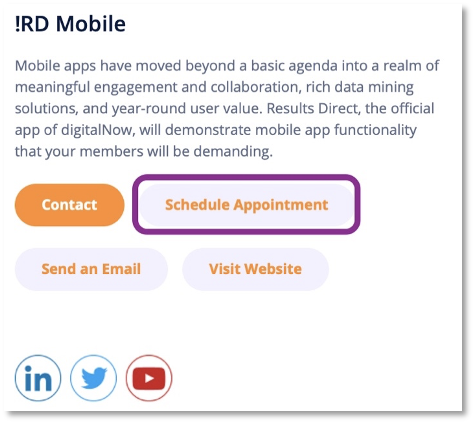
- Exhibitor Update - Schedule Appointment Button: Booking appointments or demos is one of the most valuable forms of ROI for sponsors of an event. With this update, attendees can now see a dedicated button on the exhibitor detail page
to schedule an appointment. Clicking this will take the attendee to the scheduling tool of choice for that exhibitor (Calendly, Doodle, web form, etc.). This can be configured by editing the exhibitor directly in the App Backoffice or by using
the CSV upload process.
(Exhibitors -> Edit -> Schedule Appointment URL)
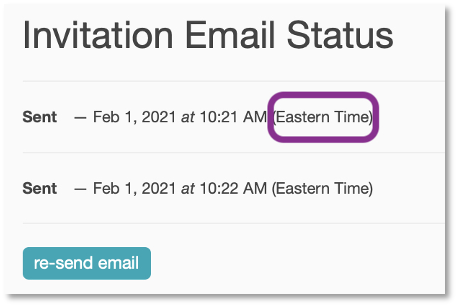
- Invitation and Follow-Up Emails – Display Time Zone: Email timestamps now include the time zone when they were sent to make it easier for administrators to track.
(Participants -> Registrants -> View Registrant)
2021.1 (21 January 2021) [Web Update]
This first release of 2021 enhances the Event Details screen on the desktop to create an even more intuitive and engaging experience for your attendees leading up to and during your event.
- Event Details (Responsive Web / Desktop Enhancement): New visual elements and additional content now available on the
Event Details screen include the following:
- Add a banner image for your event (Edit Event -> Styling tab)
- A countdown clock appears leading up to your event
- Upcoming sessions in the schedule appear as previews, including a timer to remind attendees of their start time
- Session images can now be added to each of your sessions that appear on the event details page (Sessions tab -> Edit Session)
- Designate featured speakers to appear on the event details screen (Speakers tab -> Edit Speaker -> “Featured” checkbox)
- A larger ad space now appears at the bottom of the screen
- You now have a choice between adding a hero image, or embed a welcome video which can be used to promote the conference, provide guidance or highlight sponsors (Edit event -> Styling tab)
2020.8 (December 2020) [Web and Mobile App Update]
This final release of the year focuses on providing your organization with the flexibility to make your 2021 events a success. Along with our longstanding support of on-site and virtual events we anticipate a growing number of hybrid event this year. To support these events the platform now fully supports multi-device and multi-location networking and enhanced sorting options for exhibitors/sponsors and session resources.
- Direct Messaging: We've enabled direct messaging on web browsers for attendees to engage during virtual and hybrid events. This works seamlessly with the native mobile apps allowing for participants at home and on-site to network and communicate.
- Exhibitor Sorting: The Exhibitor module now supports a custom sort option giving you control over the display order of sponsors and exhibitors, including by sponsorship level. Sorting can be administered via the back office portal, CSV upload and our standard APIs.
- Session Resource Sorting: Default sorting for session resources is alphabetical by resource title. This new backoffice feature allows you to drag session resources to reorder their display for attendees on web browsers and the native apps.
2020.7 (December 2020) [ Web Update]
This release includes two new enhancements and a number of performance improvements and bug fixes.
- Backoffice
- Enhanced Engagement Reports
- Both the “Session and User Reports” and “Exhibitor Visits” (located on your event’s reports page in the backoffice) have been updated to include data on participant contact preferences when available. This makes it easier to determine what data should be provided to sponsors or 3rd parties. Both reports also now include the attendee’s title and organization. We've also changed the sorting of the “Session and User Reports” to improve usability.
- Access Restricted Events Now Support Configurable Event Entry Screen
- You can now set what page greets your attendees when they first access a restricted event on both desktop and mobile. The default screen is still “Event Details”, however, by choosing a different “Entry Point” on the menu configuration page you can override this setting to choose a different page as the initial point of entry. (NOTE: Not currently supported in mobile app. Timeline and Dashboard are also not currently supported on Responsive Web (Public) site.)
- Participant Contact Preferences
- Ability to set participant contact preferences through CSV or API import of Registrant data
- Enhanced Engagement Reports
2020.6 (November 2020) [Web Update]
This release introduces a small number of new features focusing on the Backoffice and Responsive Web Sites.
- Email Reminders - Introducing email reminders - New feature to assist participants who are using the Schedule to pre-select Sessions of interest for events.
- Daily Digest - An email will be sent to participants between 0000 and 0100 hours each morning who have selected sessions scheduled that morning. The email will list out the selected sessions for the day with links to the desired sessions.
- 15 Minute Reminders - An email will be sent to the participant 15 minutes prior to the selected session start time. A link will be provided in the email to the desired session.
- Backoffice
- Expanded Event Reporting - Sessions and User Reports (Beta)
- Provides more granular detail into user activities within your event. Views also allow for the download of reports for further analysis.
- Session Activity – Overview - High level view of activities.
- Session Activity – What participants viewed the session and when they viewed the session.
- Expanded Event Reporting - Sessions and User Reports (Beta)
- Responsive Web Updates
- Directory -The Directory, previously only available in the mobile app, is now available through the responsive web site.
- User Profile Photo - Participants now have the ability to ADD/REMOVE/UPDATE their profile photos through the responsive web site.
2020.5.3 (October 2020) [Web and Mobile App Update]
This update continues improvements to facilitate virtual events.
- App Update
- Ability to view embedded session videos from within the mobile apps
- Backoffice / Responsive Web Updates
- New Report – Session Attendance – Overview of sessions viewed by web users during the session which includes a period 15 minutes prior to the session starting.
- NOTE: Reporting does not include sessions viewed on mobile devices. Except in cases where the session incorporates an embedded Vimeo video.
- Data Elements
- Session ID
- Session Name
- Given Name
- Family Name
- Affiliation
- Title
- Email Address
- In Directory (Is Registrant)
- New Report – Exhibitor Visits – Overview of exhibitors viewed by web users.
- Data Elements
- Exhibitor ID
- Exhibitor Name
- Given Name
- Family Name
- Affiliation
- Title
- Email Address
- In Directory (Is Registrant)
- Number of Visits (count of times visiting exhibitor)
- Restricted Resource Assistance - Add ability to display addition instructions to participants when trying to access restricted resources.
- Branded Email Notifications - Resolves email branding when trying to access a restricted event. Login link email will now display event branding.
- New Report – Session Attendance – Overview of sessions viewed by web users during the session which includes a period 15 minutes prior to the session starting.
2020.4/5 (September 2020) [Web and Mobile App Update]
This update focuses on improvements to better facilitate virtual events and improvements to the login experience.
- App Updates
- New login experience - Sends email to user to allow for more direct access without need to remember passwords.
- Backoffice Updates
- Embed video on Exhibitor listings (visible in responsive web / desktop. Not visible in App at this time.)
- Embed Vimeo video on Schedule Sessions (please contact sales for more info)
- Embed code now available to facilitate embedding Sessions list view on client web sites
- Introduction of Session Sponsors
- Introduction of Session Sponsor video embedding
- Responsive Web Sites
- New login experience
- Visual enhancements - new look with additional features
- Exhibitor listing video display
- Conversations (please contact sales for more info)
- Added ability to search posts
2020.3 Virtual Event Enhancements (May 2020) [Web and Mobile App Update]
This release focuses on improvements to better facilitate virtual events.
- App Updates include:
- Events can be designated as "Virtual"
- Option to view scheduled sessions based on local time zone
- Added user preference to select 24-hour time or standard time display format
- Improvements to RSS feed display
- New event creation process utilizing templates
- Ability to designate an event as "Virtual"
- Expanded reporting
2020.2 Custom Content (March 2020 - Backoffice and Mobile Apps)
This release focuses on enhancements to custom content types along with a few smaller enhancements. Notable features include:
- Custom Content Types
- A new path to creating custom content with 2 distinct options available
- Custom Content - the familiar path to creating custom content
- URL List - NEW - adds the ability to create a list of URLs. Send app users directly to desired web resource(s).
- Adds the ability to disable grouping
- Adds the ability to use tagging for Year-Round content
- A new path to creating custom content with 2 distinct options available
- Resource file size increase - expanded the size limit from 6 MB to 50 MB
- Improved support for iOS 13
2020.2 Event Managers (March 2020 - Backoffice Only)
This release, though small, and only affecting the Backoffice, packs a powerful new feature and a couple of smaller, tasty enhancements. Notable features include:
- Newly Designed App Store Images
- A fresh new look in the app stores for Eventsential and Engagefully
- Themed Headers
- Accessed in the Styling menu when editing or creating an event
- Ability to select from a variety of themes
- Classic
- Ribbon
- Scalloped
- Geometric
- Signature Images
- 8 signature images are now available to enhance or personalize the Ribbon and Scalloped themes
- Administrators Tab - admins now have the ability to add additional administrators to the Backoffice
- Event Managers - admins now the ability to add "Event Managers." These individuals can log into the Backoffice, but only have permissions to fully manage designated events.
- Twitter Hashtag - has been expanded to now allow for hashtags as long as 50 characters
- Schedule enhancement - we have added an "End Time" field to allow the ability to enter in an end time or select the number of minutes for the session
2019.4 and 2020.1 Release Notes (December 2019 and January 2020)
We had two releases hit the stores in rapid succession as 2019.4 set the foundation for efforts in 2020.1.
Screens throughout the app were redesigned in 2019.4, with a focus on the event level screens for a more visually appealing experience. 2020.1 focused on efforts to enhance 360 menu features to include the ability to assign roles for accessing various menu items. Sprinkled through out each update are App Backoffice improvements as well as new menus to support various new features.
Notable features include:
- Newly Designed App Store Images
- A fresh new look in the app stores for Eventsential and Engagefully
- Themed Headers
- Accessed in the Styling menu when editing or creating an event
- Ability to select from a variety of themes
- Classic
- Ribbon
- Scalloped
- Geometric
- Signature Images
- 8 signature images are now available to enhance or personalize the Ribbon and Scalloped themes
- New icons throughout the app
- An open, modern, light version of the icons
- A new look to the following screens
- Main menu – themed header and icons
- Schedule – themed header
- Dashboard – new tile layout and presentation
- Notifications – themed header and tiles
- Directory – tiles were visually enhanced
- Speakers – tiles were visually enhanced
- Timeline – tiles were visually enhanced
- Custom Content - tiles were visually enhanced
- Enhanced filters - additional functions to allow users to focus on what they are looking for
- Schedule
- Custom Content
- Event Refresh Menu Item
- Refresh event data from the main event menu – No longer need to open Event Details to refresh event data
- Push Notifications
- Opening push notifications now opens directly to the intended message
- 360 Year-Round Content - Organizational Roles
- Define roles for accessing 360 menus and content
- Populated by email addresses – Add / Delete users
- 360 Year-Round Content - Pass-Though Authentication
- Infrastructure built for integration efforts with AMS / CMS solutions
- Enables user to access member only content through the app with-out the need for additional logins
- App Backoffice Enhancements
- Event menu now displays event status – Published / Unpublished
- Event menu View All display has additional filters to aid in managing larger numbers of events – Upcoming Published / Upcoming Unpublished
- Backoffice.rdmobile.com web address
- Updated colors to match RD rebranding
- Email addresses now reflect @rdmobile.com
- Improved Help Beacon
- Clients can now reach out to Support directly through Help Beacon
- Create and monitor issues
- Support Web Address
- Support.rdmobile.com
- Bugs
- Bug were squashed for a better app experience
2019.2 Release Notes (June 2019)
In addition to several of bug fixes this release includes the following:
- New App Icons
- Includes a new look for Eventsential and Engagefully including new app icons on your mobile devices.
- Support for multiple Backoffice Admin Logins
- If you have multiple admins working on your app content, they can now each have their own set of login credentials. Contact our support team to request additional logins.
- Reporting Enhancements.
- Event analytics now includes engagement metrics allowing you to see how many attendees accessed resources connected sessions, exhibitors, speakers, and custom content items.
- Engagefully customers can also view reports for resource usage on year-round custom content items.
- In App Tips
- A new in-app support menu item provides your members and attendees with useful tips and improved options to reach out for help.
- Improved Guidance for Validating App Users
- Better guidance for app users to ensure they have access to the resources they need.
2019.1 Release Notes (February 2019)
Includes new tools designed to create custom content to year-round resources, targeted event notifications, high-resolution ads, and more item associations.
- Follow Up With Your Registrants
- We've expanded our invitation email functionality to enable follow up with additional, targeted email communication to keep your registrants informed, and drive app usage. Learn More
- Custom Content Available to Year-Round Resources
- We've brought the custom content (the same features we added to events last year) to year-round engagement related content and resources. If you have content you'd like to bring to the app through a structured list format, this is just the tool you've been waiting for! Learn More
- Targeted Event Notifications
- When you create notifications in your events, you may now select one or more roles: only users with those roles will receive push notification, or see the content in the app. Learn MoreHelpful Tips
- High-Resolution Ads
- You can now provide high-resolution images for the banner advertisements in your events, so that your content looks great on modern high-DPI devices.
- More Item Associations Allowed
- You can now link your exhibitors to speakers and sessions within your events. This helps to raise the visibility to your exhibitors and sponsors, and to help your users find the content and resources they're looking for.
2018.4 Release Notes (October 2018)
Includes iOS 12improved Timeline photo viewing, online access to notes, enhanced Engagefully reporting and numerous performance enhancements.
- Improved Timeline Photo Viewing
- Photos posted to the Interactive Timeline can now be zoomed, panned, saved, and shared.
- Online Access to Notes
- Attendees can now access notes they’ve entered on any device via their online profile located on the responsive website.
- Enhanced Reports (Engagefully)
- Admins can now view reports outlining the number of known and unknown users who've accessed their content, and advertising analytics.
- General Updates
- 2018.4 includes updates for iOS 12 as well as numerous performance enhancements.
- Backoffice Enhancements (September 2018)
Includes a new participants tool, welcome email invitation functionality, reorganized roles and content access, more year-round icon artwork and the ability to download event timeline content and data.
2018.3 Release Notes (August 2018)
Includes option to restrict visibility of users’ profile information, ability to replace standard event app terminology, tappable phone numbers and URLs appearing custom fields and improved CSV upload process to make uploading data easier.
2018.2 Release Notes (May 2018)
Includes new tools designed to create custom content, option to include unlimited sub-sessions, enhanced image upload process, addition of image library, simplified the approved email address option and the ability to re-use app icons.
Please let us know how we can help you leverage the latest features! We appreciate you being a customer.
Thanks,
RD Mobile
RD Mobile FAQ
Got a quick question? Check out RD Mobile's FAQ page for a quick answer. A collection of our most common client questions all in one place!
- Can I Copy and Paste an Event?
- What images can I upload to brand my app?
- How can I make changes to my app store listing?
- How often can I update event content in the apps?
- Registrant Profile vs. Participant Profile
- Do unpublished events automatically reflect changes I’ve made to event content?
- Are there differences in how Engagefully looks or behaves across different devices?
- How soon will attendees see the updated content on their devices?
- Can attendees export their sessions to their device calendar?
- Will Engagefully EVENTS work when the attendee doesn’t have Internet connectivity?
- Is it possible for attendees to manually fetch the most recent content?
- Does RD Mobile have surveys and polls?
- How will the custom values appear in the app?
- Where will ads show up?
- What is the difference between the Attendee Roster and Attendee Social Profiles?
- What is RSS?
- How do I remove flagged posts, photos, and comments from the app?
- What is the Personalized Dashboard?
- What different content can display in the Dashboard?
Get Started With Conversations
RD Mobile's Conversations provides a space for members, event participants, committees, and groups to connect and engage. Conversations is available as an add-on to RD Mobile’s Engagefully platforms.
About RD Products
RD Mobile’s industry-leading Engagefully & Engagefully EVENTS apps & platforms power year-round member engagement as well as in-person, hybrid/blended & virtual events - on both mobile & desktop devices.
Get Started With Year-Round Content
Ready to set up your year-round content on the Engagefully platform? Follow these steps to kickstart your engagement.
On-Site Tools & Support
This is a collection of tools, tips and best practices to support your participants leading up to and during your event.
Publish & Promote Your Event
Your event is ready to go, now it's time start engaging participants.
- How to Publish Your Event
- Invitation Email
- Follow-Up Emails
- Email Templates
- App Marketing Resource - How-To Guides
- Increasing App Downloads & Engagement - Marketing Campaign
- App Marketing Resource - Digital Business Card Exchange Promo Image
- App Marketing Resource - Website Samples
- App Marketing Resource - Spinner Samples
Add Basic Event Content
Ready to start adding content to your new event? Learn the basics here in this step-by-step guide.
- How do I create a Notification?
- Setting Up Sessions
- Setting Up Speakers
- How to Reorder Speakers and Designate Speaker Roles
- Setting Up Exhibitors
- How do I create tags for my Event?
- How to Add Registrants
- Registrant Profile vs. Participant Profile
- How to Manage Content In Bulk
- How do I enable and manage the event Dashboard?
- Add a New Menu Item
- Add a Map
- Setting Up Ads
Advanced Event Features
Want to supercharge your event? Browse through this collection of advanced features to determine what your event needs to take it to the next level.
- Event Roles
- How to Reorder Speakers and Designate Speaker Roles
- How to Create Exhibitor Booth Staff, Moderators, and Sponsor Representatives Using Custom Content.
- How to Create Custom Content
- What are Custom Labels used for?
- Event Integrations FAQ
- Embed Sessions on Your Web Site
- Embed Speaker Details on Your Website
- Embed Exhibitor Lists on Your Web Site
- How to Add Surveys, Evaluations & Polls
- Exhibitor Management Portal
- QR Code and Virtual Session Check-In
- Digital Business Card Exchange
- Setting Up Gamification
- Arranged Appointments
- Embed YouTube Content within Sessions
- Embed Vimeo Video Content within Sessions
Create a New Event
Ready to create a new event on the Engagefully & Engagefully EVENTS (formally Eventsential) platform? This step-by-step guide will walk you through creating and configuring a new event.